

KATEGORIE





Zpěz k nákupu
Audio, video, TV
AUTO - MOTO
Dům a zahrada
Foto
Hračky
Chovatelské potřeby, Drogerie
Malé domácí spotřebiče
Počítače, notebooky, mobily
Sport, krása, zdraví, zábava
Velké spotřebiče
Výprodej ULTRA nízké ceny
Zdraví, wellness


Na vašem soukromí nám záleží
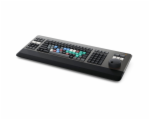
Blackmagic Design DaVinci Editor Keyboard inkl. Lizenz
Blackmagic Design DaVinci Editor Keyboard inkl. Lizenz
17897 Kč
14791 Kč bez DPH
Dostupnost: Skladem, dodání 2-4 dní
Part no.: BM-DV/RES/BBPNLMLEKB-LIC
Kód produktu: 94280631
Výrobce: Blackmagic Design
Váha: 1 kg
Popis produktu
Typ baterie / aku: Lithium-Ionen
Včetně baterií: Integrovaná aku
Typ: Klávesnice
Info: Pro DaVinci Resolve Studio
Materiál: Kov
Barva: antracit
Šířka (cm): 15,6
Výška (cm): 4,4
Hloubka (cm): 24,5
Hmotnost (g): 780
Blackmagic Design DaVinci Resolve Editor Keyboard incl. licence
The DaVinci Resolve Editor Keyboard is a classic, full-size QWERTY editing keyboard in a high-quality all-metal case. In addition to a metal seeker with clutch, it is equipped with additional keys for cutting, trimming and entering timecode. The keyboard is even designed to fit flush into a tabletop.
Features
Professional editing keyboard tuned to DaVinci Resolve
DaVinci Resolve Studio licence included
Metal seeker knob for fast back-and-forth movement in the timeline and real-time trimming
Source tape mode for fast scrolling through your media
In and out buttons for easy setting of in and out points
Smart Insert: Smart Insert locates the nearest edit point in the Timeline and inserts the clip at that point.
"Append at End: Simply select an In and Out point in the clip, press the Append button and the clip is inserted at the end of the Timeline.
Ripple Overwrite: The frequently used Ripple Overwrite edit function allows you to replace settings in a flash.
Close Up Button: Close Up is a great way to create two different camera angles with one camera.
Place on Top: The edit mode places a clip in the timeline on the layer above an existing background layer.
Source Overwrite: For multicam shoots with synchronised timecode, you can use Source Overwrite to search through settings and insert intermediate clips into your timeline.
Roll: The "Roll" button does the same as a mouse click on the transition point. Thanks to the search slider, adjustments can be made with frame accuracy
The Slip Source button affects the clip to the left of the cut mark. It moves the adjustment back and forth within the In and Out points of the current clip in the timeline
Quickly insert and remove effects
Numeric keypad for direct entry of timecode
Housing made of sturdy metal
Bluetooth
USB Type-C
USB hub: 2 USB ports type A for e.g. a mouse and other USB devices
Integrated battery
Note: Keyboard layout: QWERTY
Information in accordance with the General Product Safety Regulation (EU) 2023/988 (GPSR)BlackmagicDesign Ltd. Rijnlanderweg 766 DNL 2132NM HoofddorpE-Mail: info-europe@blackmagicdesign.deInternet: www.blackmagicdesign.com/de/company/offices
Popis produktu
zásobování energií: přes USB / bateriiTyp baterie / aku: Lithium-Ionen
Včetně baterií: Integrovaná aku
Typ: Klávesnice
Info: Pro DaVinci Resolve Studio
Materiál: Kov
Barva: antracit
Šířka (cm): 15,6
Výška (cm): 4,4
Hloubka (cm): 24,5
Hmotnost (g): 780
Blackmagic Design DaVinci Resolve Editor Keyboard incl. licence
The DaVinci Resolve Editor Keyboard is a classic, full-size QWERTY editing keyboard in a high-quality all-metal case. In addition to a metal seeker with clutch, it is equipped with additional keys for cutting, trimming and entering timecode. The keyboard is even designed to fit flush into a tabletop.
Features
Professional editing keyboard tuned to DaVinci Resolve
DaVinci Resolve Studio licence included
Metal seeker knob for fast back-and-forth movement in the timeline and real-time trimming
Source tape mode for fast scrolling through your media
In and out buttons for easy setting of in and out points
Smart Insert: Smart Insert locates the nearest edit point in the Timeline and inserts the clip at that point.
"Append at End: Simply select an In and Out point in the clip, press the Append button and the clip is inserted at the end of the Timeline.
Ripple Overwrite: The frequently used Ripple Overwrite edit function allows you to replace settings in a flash.
Close Up Button: Close Up is a great way to create two different camera angles with one camera.
Place on Top: The edit mode places a clip in the timeline on the layer above an existing background layer.
Source Overwrite: For multicam shoots with synchronised timecode, you can use Source Overwrite to search through settings and insert intermediate clips into your timeline.
Roll: The "Roll" button does the same as a mouse click on the transition point. Thanks to the search slider, adjustments can be made with frame accuracy
The Slip Source button affects the clip to the left of the cut mark. It moves the adjustment back and forth within the In and Out points of the current clip in the timeline
Quickly insert and remove effects
Numeric keypad for direct entry of timecode
Housing made of sturdy metal
Bluetooth
USB Type-C
USB hub: 2 USB ports type A for e.g. a mouse and other USB devices
Integrated battery
Note: Keyboard layout: QWERTY
Information in accordance with the General Product Safety Regulation (EU) 2023/988 (GPSR)BlackmagicDesign Ltd. Rijnlanderweg 766 DNL 2132NM HoofddorpE-Mail: info-europe@blackmagicdesign.deInternet: www.blackmagicdesign.com/de/company/offices
Přes veškerou snahu zajistit co nejpřesnější popis, obrázky a technické parametry produktů nemůžeme zaručit, že uváděná data odpovídají skutečnosti. Řada výrobců si vyhrazuje právo změny některých parametrů či vlastností bez předchozího upozornění. Potřebujete-li ujištění o určitých parametrech produktu nebo v případě pochybností, kontaktujte prosím svého obchodníka. Pozdější reklamace vlastností je zbytečnou komplikací pro obě strany. Kontaktovat výrobce můžete na info@euroking.cz, nebo na adrese: ANTALON s.r.o., Oblouková 102, Stráž nad Nisou. Dodavatel: ANTALON s.r.o.